Hello,
I’m using a Pocket NC V2-10 with Legacy control version 4.8.1 (not Kinetic Control).
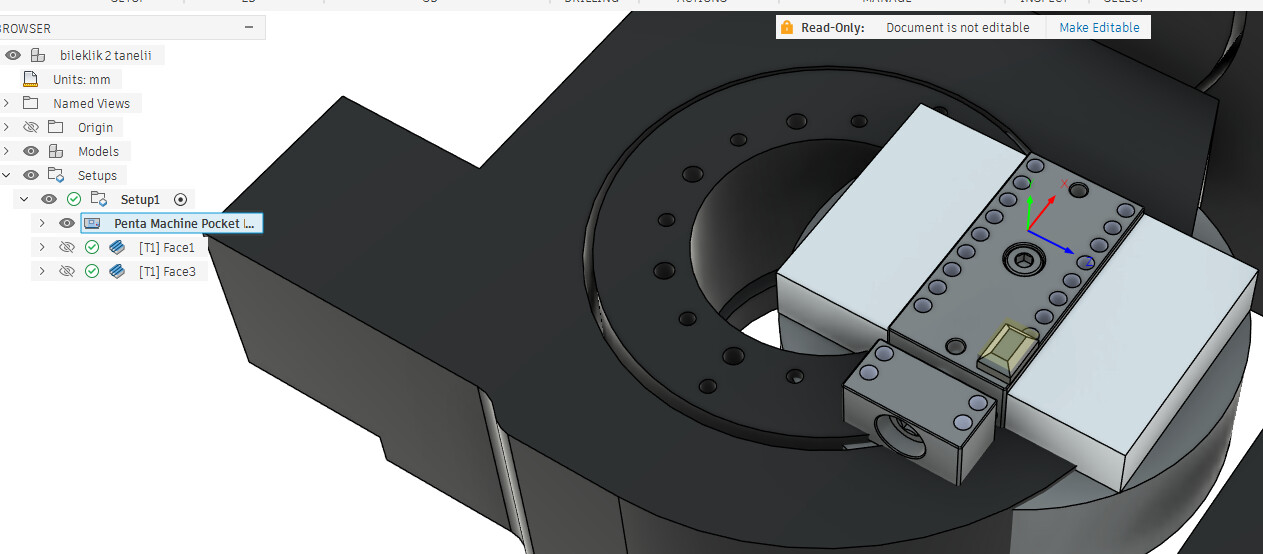
Machining works correctly when the B-axis is at 0°. However, when the B-axis rotates 180° to machine the opposite side of the part, the second chamfer is not positioned correctly.
The issue occurs both in Fusion 360 simulation and during actual machining.
I have attached the part drawing for reference.
Could you please help me identify the cause and suggest a solution?
Thank you for your support.
forum.f3z (5.6 MB)
Hi @Onurkaskaya
I cannot see the file. Can you try sharing again.
TP
I have added the drawings as of now. @TokyoPav
Looking at the data it seems the its out of position to the machine.
It appeared right at the center of the machine. However, that’s not my main issue; if you look at the toolpath, I want to machine the edge chamfer of the part—first one side, then rotate the B-axis to machine the other side. It handles the first side exactly as I want, but once the B-axis rotates, the tool ends up too far away from the part. What could be the cause of this problem?
Can you provide the new file with everything in the correct location so we can sort out with the exact same data you have. Not sure why it would be offset for me. It’s hard to work out what’s happening without the exact conditions you have.