CHECK FOR UPDATESerror: Commit a905d77caacfb32f367518dcca8b7501ca2354a3be86c7d5ebc9c20f365d5926: Signature made Mon Oct 16 21:12:24 2023 using RSA key ID 8FB9D19423755DA3 BAD signature from “Pocket NC Company info@pocketnc.com” Key expired Wed Sep 20 15:59:53 2023
This is an issue with something on our side of the update process. The solution is to re-flash your Kinetic Control microSD card with a new image of KC. After that, future updates should work as normal.
Shoot us an email at service@pentamachine.com and we can get you the necessary instructions to re-flash that card.
@TokyoPav the issue is your machine has an old key for verifying software updates come from us. We updated this key back in February and have been shipping machines with the new key, but failed to realize that the new key wasn’t properly included in the software updates that older machines would receive. To update the key manually, you can ssh to your machine and run the following command:
Thanks John
Upgrade completed.
for those watching and have the inevitable question - what’s the password?
ssh pnc.ipa.ddr.ess -l pocketnc
password is pocketnc
It tells you the username and password pair when you first try to connect but you need to use the -l switch to get the right username.
Cheers
TP
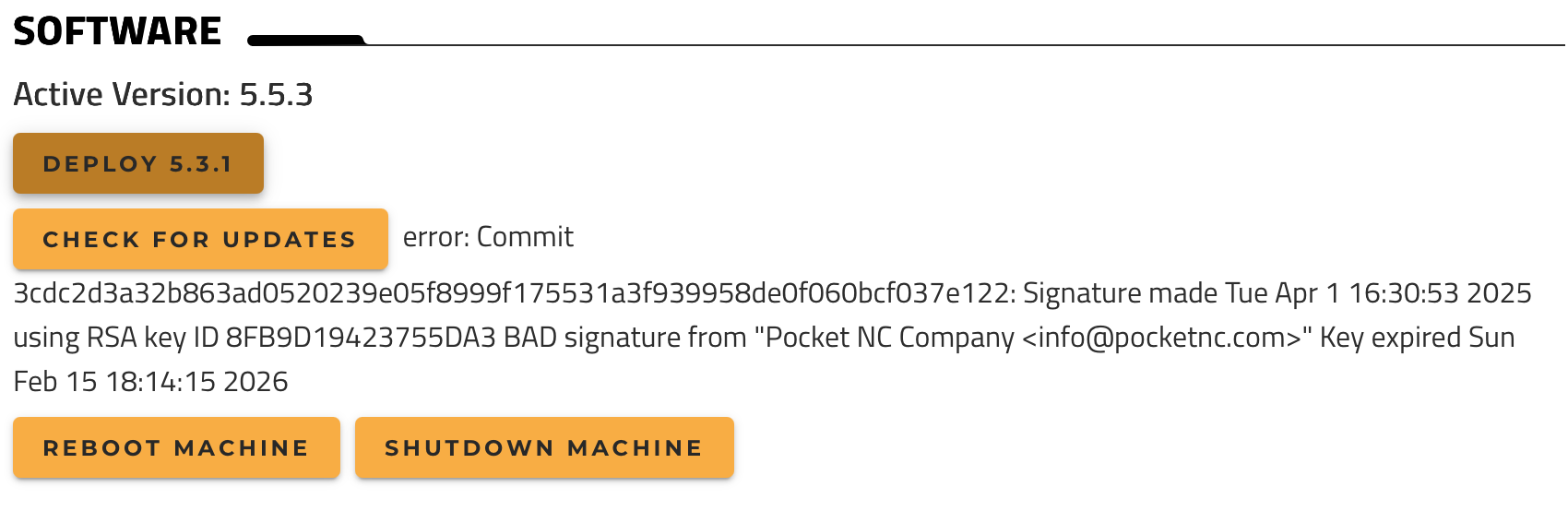
It’s been awhile, but getting something similar when trying to update from 5.5.3 to latest, and I get the following:
error: Commit 3cdc2d3a32b863ad0520239e05f8999f175531a3f939958de0f060bcf037e122: Signature made Tue Apr 1 16:30:53 2025 using RSA key ID 8FB9D19423755DA3 BAD signature from "Pocket NC Company <info@pocketnc.com>" Key expired Sun Feb 15 18:14:15 2026
Thanks for the update! For anyone else who may be finding their way here from Google, as I did- here’s the response I’m getting when running the bash command and getting the following
pocketnc@pocketnc:~$ bash <(curl -k https://ostree.pocketnc.com/import_gpg.sh) % Total % Received % Xferd Average Speed Time Time Time Current Dload Upload Total Spent Left Speed 100 1035 100 1035 0 0 6088 0 --:--:-- --:--:-- --:--:-- 6088 The correct key is already installed If your error persists, please contact supportpocketnc@pocketnc:~$
Not directly, but I did find a workaround to complete the update. The underlying issue is that the trust chain is broken.
This needs a proper fix on the backend. The update only works if the system time is rolled back to before the key expiration date. With the correct system time, it still fails with a BAD signature / expired key, even after updating.
If order to narrow it down, can you do me a favor next time you’re at your machine, right before shutdown? Click the check for updates button, and see if you get an error message?